


Watch video
Audio Podcast
Introduction
In today’s fast-paced world, wireless networking has become an essential part of our daily lives. Whether you’re working from home, streaming your favorite shows, or playing online games, a wireless network offers unparalleled convenience and flexibility. This guide will explore the numerous benefits of starting a wireless network and provide insights into how it can transform your connectivity experience.
The Evolution of Wireless Networking
From Wires to Wi-Fi
Wireless networking, often referred to as Wi-Fi, has revolutionized the way we connect to the internet and share resources. Unlike traditional wired networks, which require cabling and can be cumbersome to set up, wireless networks use radio signals to transmit data, offering a seamless and flexible connectivity solution.
The Advantages of Wi-Fi
- Ease of Setup: Wireless networks are incredibly easy to set up, requiring minimal technical expertise.
- Flexibility: Devices can connect from anywhere within the network range, eliminating the need for physical connections.
- Cost-Effective: Reduces the need for expensive cabling and allows for easy expansion of the network.
Key Benefits of Wireless Networking
1. Sharing Internet Access
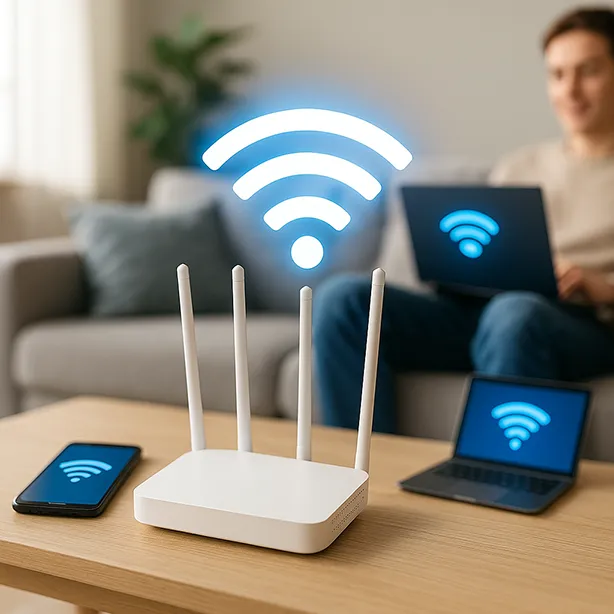
One of the primary advantages of a wireless network is the ability to share a single internet connection among multiple devices. This is particularly beneficial for households or small businesses with several devices that need internet access.
How It Works:
- Single Modem: You only need one modem to provide internet access to all connected devices.
- Seamless Connectivity: New devices can be added to the network with ease, ensuring everyone stays connected.
Benefits: - Cost Savings: Eliminates the need for multiple internet subscriptions.
- Convenience: All devices can access the internet simultaneously without interference.
2. File and Printer Sharing
Wireless networks make it easy to share files and printers across multiple devices, enhancing productivity and collaboration.
File Sharing:
- Centralized Storage: Store files on a central device and access them from any connected computer.
- Syncing Data: Easily synchronize data between laptops and desktop computers, ensuring you always have the latest information.
Printer Sharing: - Network Printers: Connect a printer to one computer and make it accessible to all devices on the network.
- Print from Anywhere: Send print jobs from any device and collect them from a central printer.
3. Always-On Connection
Wireless networks provide a constant, always-on connection, ensuring you’re never disconnected from the internet.
Benefits:
- Instant Access: Connect to the internet instantly without the need for dial-up or login procedures.
- Mobility: Move laptops and mobile devices freely within the network range while maintaining a stable connection.
4. Eliminating Wires
Say goodbye to the clutter and limitations of wired connections with a wireless network.
Advantages:
- Aesthetics: No more unsightly cables running across floors and walls.
- Safety: Reduces the risk of tripping over wires and improves overall safety.
- Flexibility: Easily rearrange your space without worrying about recabling.
5. Gaming and Entertainment
Wireless networks open up a world of possibilities for gaming and entertainment, allowing for multiplayer experiences and online gaming.
Gaming:
- LAN Parties: Host local area network (LAN) parties where friends can connect their gaming consoles or PCs to play together.
- Online Gaming: Easily connect gaming consoles to the internet for online multiplayer experiences.
Entertainment:
- Streaming: Stream movies, TV shows, and music wirelessly to multiple devices.
- Smart Home Integration: Connect smart home devices for a seamless entertainment experience.
Setting Up Your Wireless Network
Choosing the Right Equipment
Selecting the right wireless router and accessories is crucial for a reliable network.
Key Considerations:
- Range: Ensure the router provides sufficient coverage for your space.
- Speed: Choose a router that supports the latest Wi-Fi standards (e.g., Wi-Fi 6) for faster data transfer.
- Security: Look for routers with advanced security features, such as WPA3 encryption.
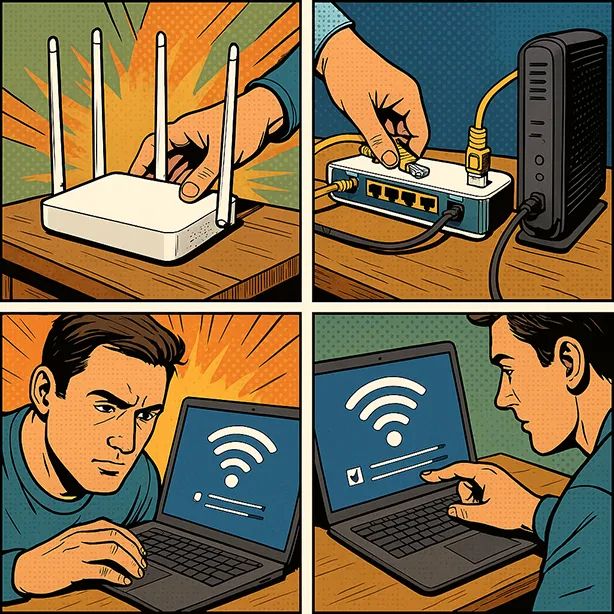
Steps to Set Up
- Place the Router: Position your router in a central location to ensure optimal coverage.
- Connect to the Modem: Use an Ethernet cable to connect your router to the modem.
- Power On: Turn on the router and wait for it to initialize.
- Configure Settings: Access the router’s settings via a web browser and configure the network name (SSID) and password.
- Connect Devices: Connect your devices to the wireless network using the configured SSID and password.
Optimizing Performance
- Channel Selection: Choose the least congested channel to minimize interference.
- Firmware Updates: Regularly update your router’s firmware to benefit from the latest improvements and security patches.
- Quality of Service (QoS): Prioritize bandwidth for specific devices or applications to ensure smooth performance.
Conclusion
Starting a wireless network can significantly enhance your connectivity experience, offering convenience, flexibility, and numerous benefits for both personal and professional use. From sharing internet access and files to eliminating wires and enabling gaming, a wireless network provides a modern solution to your connectivity needs. By understanding the advantages and following the steps to set up your network, you can unlock a world of possibilities and stay connected in today’s digital age.





Leave a Reply